Data connection via 4G/WiFi/Ethernet
The Healthy Climate Monitor (HCM) needs a data connection to the internet to send measurements and photos to the server, so they are available on your app.
There are 3 connection options:
4G network (in device by default)
Network cable (in DATA IN port on power supply)
WiFi network (to be set up via phone/email)
Network priority
If there is no, or poor 4G, or wifi in the barn, you can connect the HCM to an external network via an additional network cable. Connect the network cable to the DATA IN port of the PoE power supply (in the orange housing).
This external network can be the stable's internet, or from an additional 4G router with internet connection that you can place outside the stable.
The connection priority of the HCM is as follows:
Network cable
WiFi network
4G network
4G network
So as soon as you plug a network cable into the DATA IN port of the HCM's PoE power supply, or connect the HCM to a WiFi network, the internal 4G connection is disabled.
External 4G-router
If you want to connect the HCM to the 4G network, but the range in the barn is insufficient, you can purchase an external 4G modem from us, as shown below.
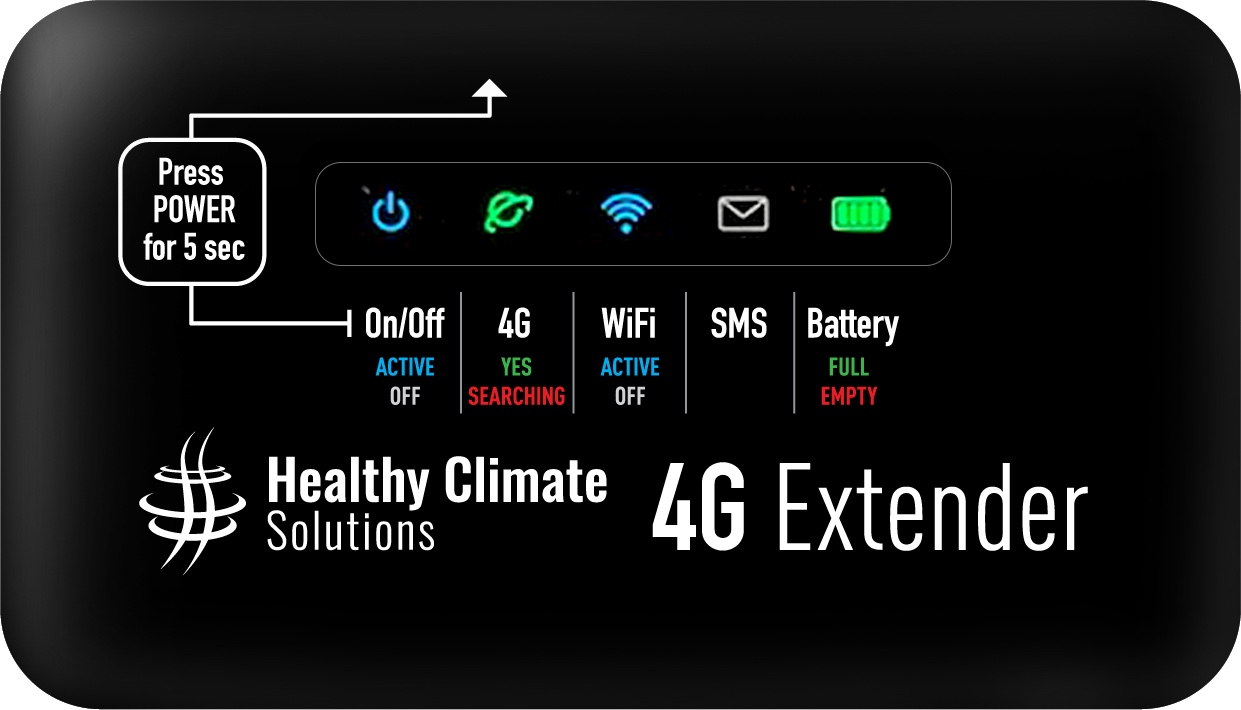
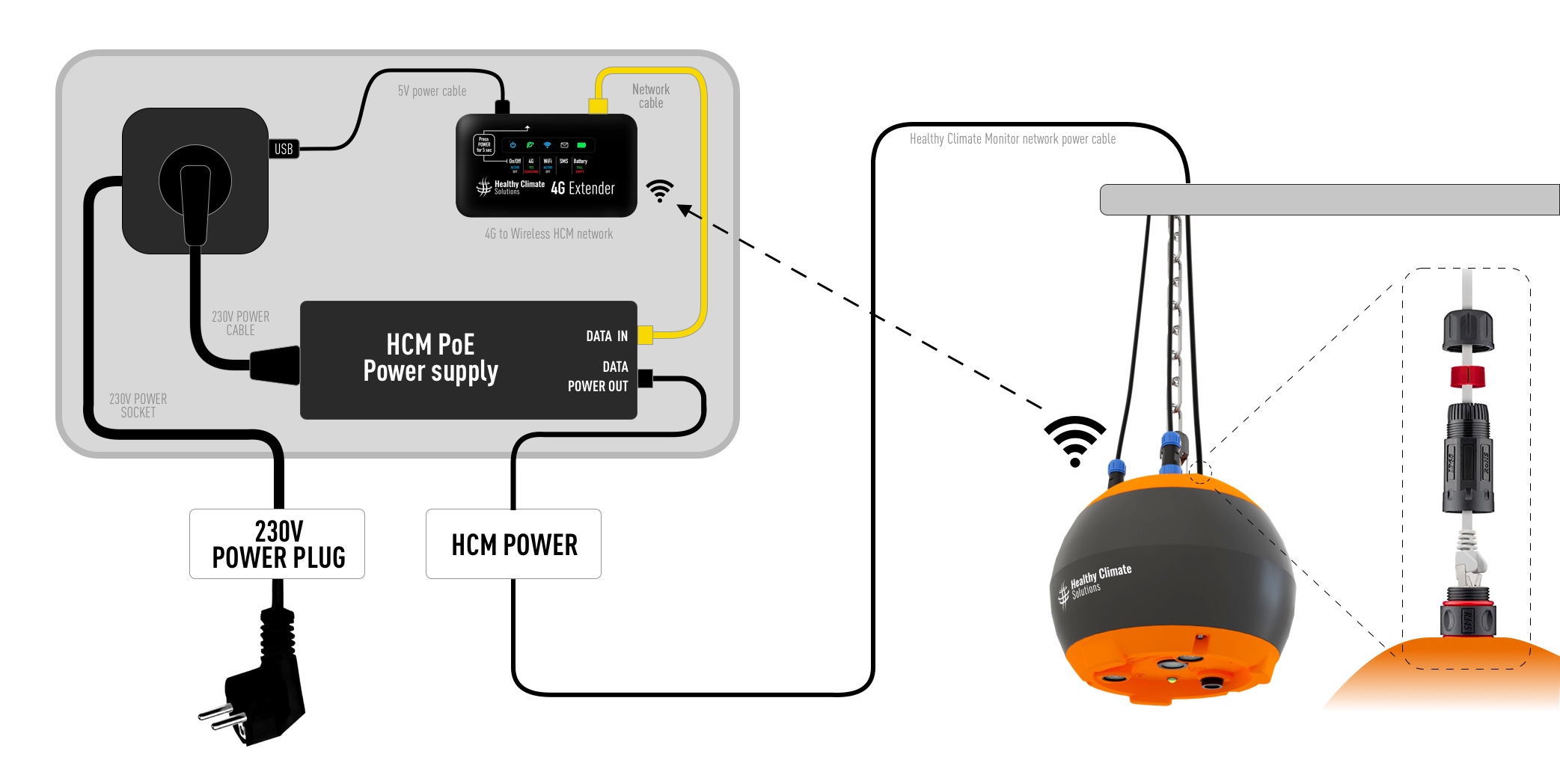
It is connected as follows:
Aanzetten Healthy Climate Monitor
1. Hang the Healthy Climate Monitor + any external sensors at the desired location in the barn
2. HCM power cable unroll and connect to the HCM
3. 230V Power plug connect to a power socket
4. 4G Extender Power button press 5 sec = ON
(The HCM will now connect via WiFi or Ethernet with the 4G Extender)
5. Check the data connection in the HCM app.
NB: If you have an HCM 2.0 (where you cannot configure the WiFi network yourself) and want to use a WiFi network, please contact us after the router is paired with an HCM and when both devices are on. Then we can then configure the HCM's WiFi network remotely.
Teltonika outdoor externe 4G router
If you have the alternative Teltonika outdoor external 4G router, click here to view its wiring diagram and installation.