Manual inspection
An inspection is used to manually record observations of a particular location. These observations can later be juxtaposed with climate measurements.
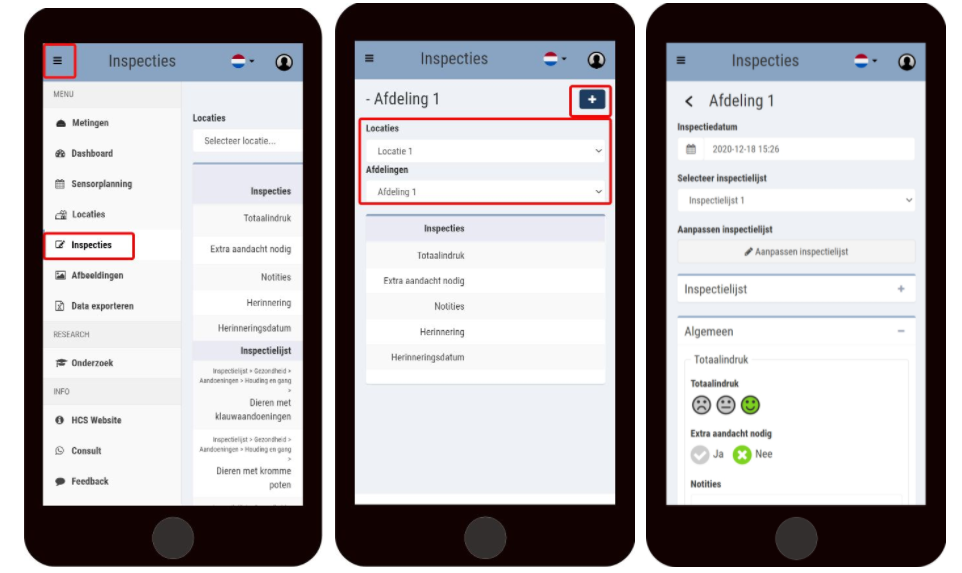
To create an inspection follow the following steps:
Go to inspections;
Click on the desired location;
Click on the plus sign at the top right;
Select the date of inspection;
Select the desired inspection list;
Fill in the list; All intervals are optional
Save the inspection.
If you want to change the inspection list, click edit inspection list