Getting started with your Healthy Climate Monitor.
The Healthy Climate Monitor needs a data connection to transfer the data to the app.
So before you go to the farm, please check the following:
1. Is there 4G reception in the farm.
Check if you see at least 2 of 5 bars of reception on your mobile phone.
If there is no 4G, go to the data connection FAQ
2. Adviser, veterinarian, researcher:
Ask the farmer to register as new user on https://app.healthyclimate.nl
What is your mutual research goal?
Discuss data ownership and use with the farmer
3. Log into the app (https://app.healthyclimate.nl).
Register as new user if you use it for the first time.
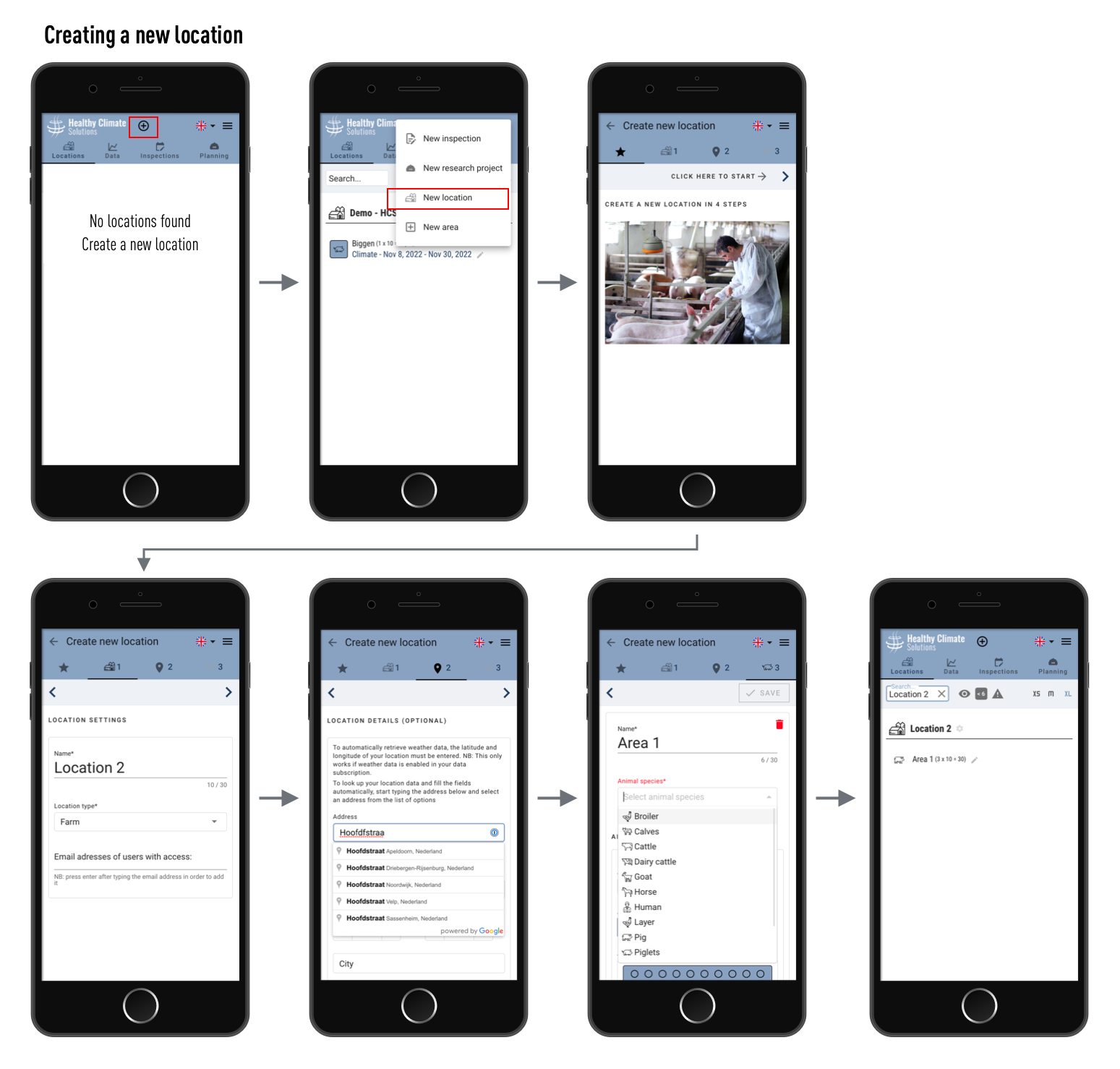
4. Create a location
Click on + in the app and select 'new location'
Fill out all fields and save the new location
Optionally enter the email address of the farmer as owner of the location
press enter after typing each email address
the email addresses of the users you enter have access to all researches and data measured at this location from now on
if no account exists at the e-mail address entered, an invitation to create a new user account will be sent automatically. As soon as the user has created the account, the user becomes an owner of this location.
5. Create a new research
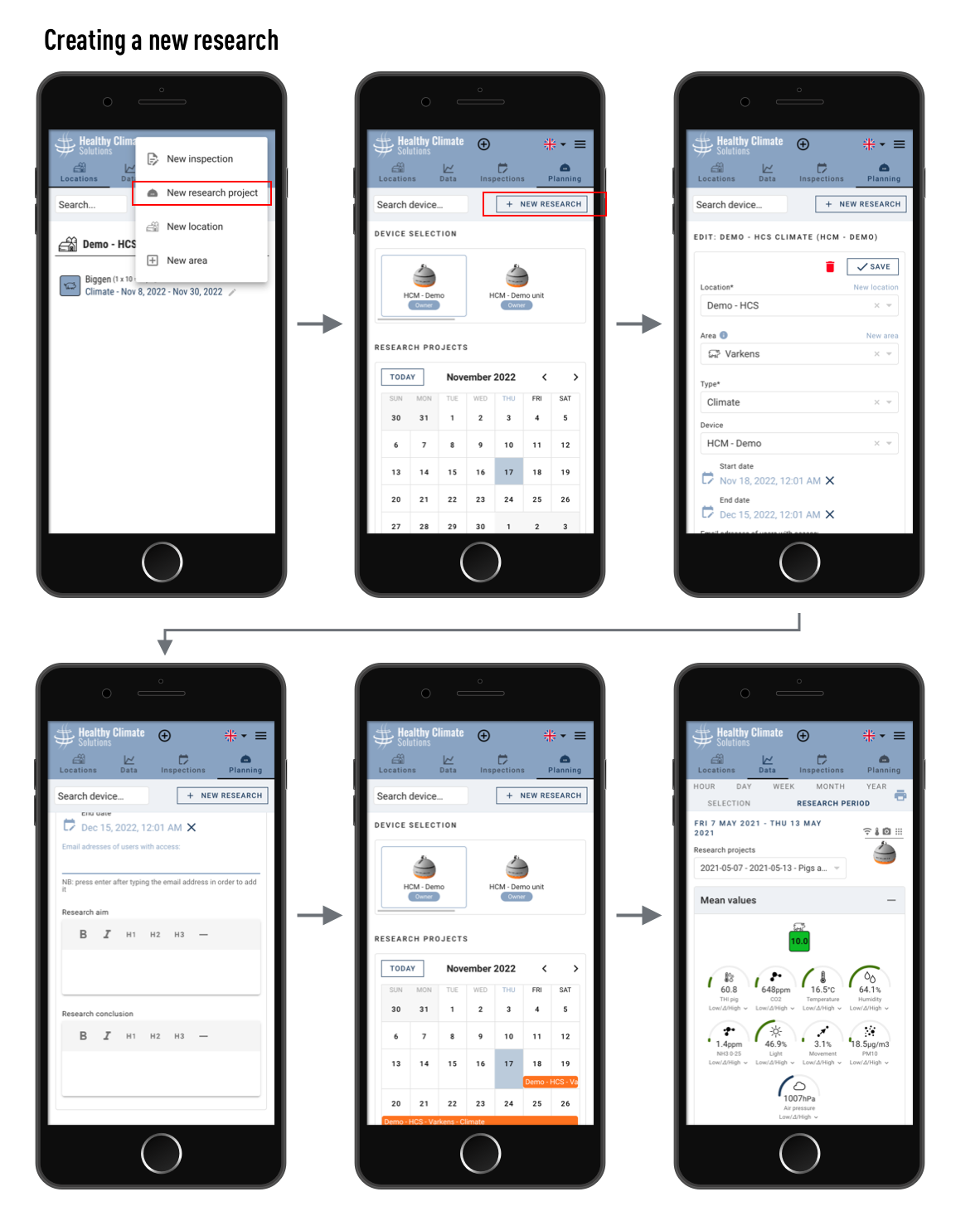
Click on + and select 'new research'
Fill out at least the required fields
Doublecheck if you selected the right dates and hours as start- and end-time
Press save
Optionally enter one or more email addresses of additional users that you want to give access to this research
NB: sensor owners and location owners have automatic access, you don't need to add them to the research
press enter after typing each email address
if there is no account with the entered e-mail address, an invitation to create a new user account will be sent automatically. As soon as the user has created the account, the user has direct access to the data of this research.
 6. Plug and Play
If you have any external sensors (e.g. DOL53 NH3/DOL139 CO2/T/H, or DOL16 Lux), hang them up first
Hang the HCM
in mixed air, a fair distance from any air inlet
with good view on the animals, but high enough so they cannot reach the sensors and cables
usually a height of 2-4 meters above the animals is good for both measurements and vision
Plug the cable into a power socket, safely from the animals
Go to the 'Data' menu
the HCM connection icons should turn 'green' within 5 minutes
from 10 minutes the first photo must be taken and you can scroll through the photos and measurements
Analyse quickly by selecting week, day or hour -views
Type your findings and conclusion in the menu 'Data': 'research details'