Create location
The function location is intended to indicate where the HCM is placed. A location represents a barn or an office. A location is required to create a survey. This links data from the HCM to a specific location.
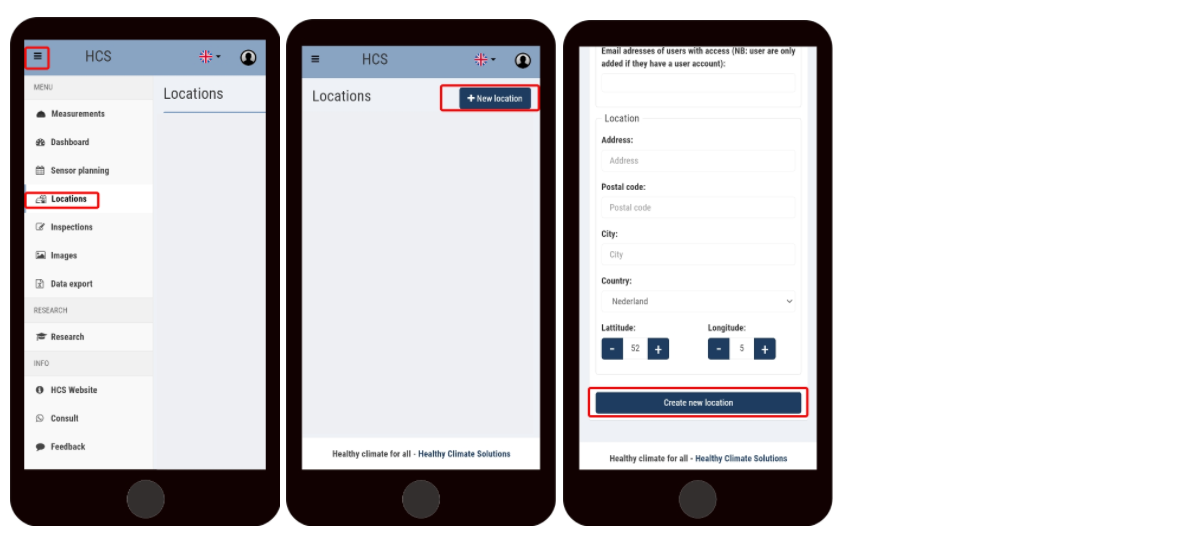
To create a location follow the steps below.
Go to locations;
Click on create a new location;
Give the location a name and select the type of location;
Optional: fill in the address information. When the latitude and longitude are entered, the climate data from the outside is also stored.
Click on create new location.
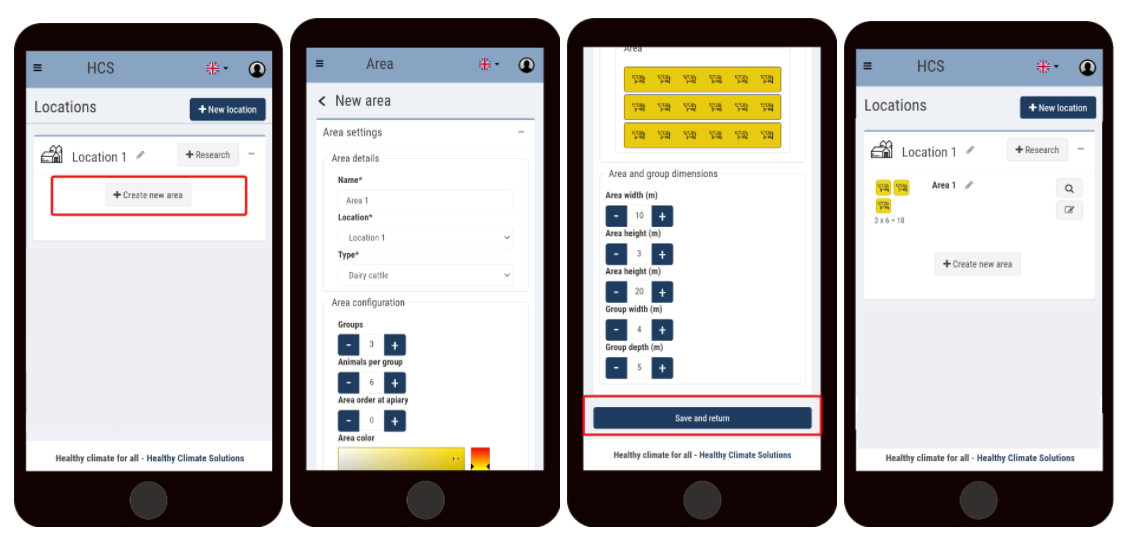
With a section, the location can be made more specific. The location can thus be divided into separate sections that can be inspected separately. A separate HCM could also be hung in such a department.
Create Department:
Click create new department;
Fill in the department details;
Save and return.