App on your home screen
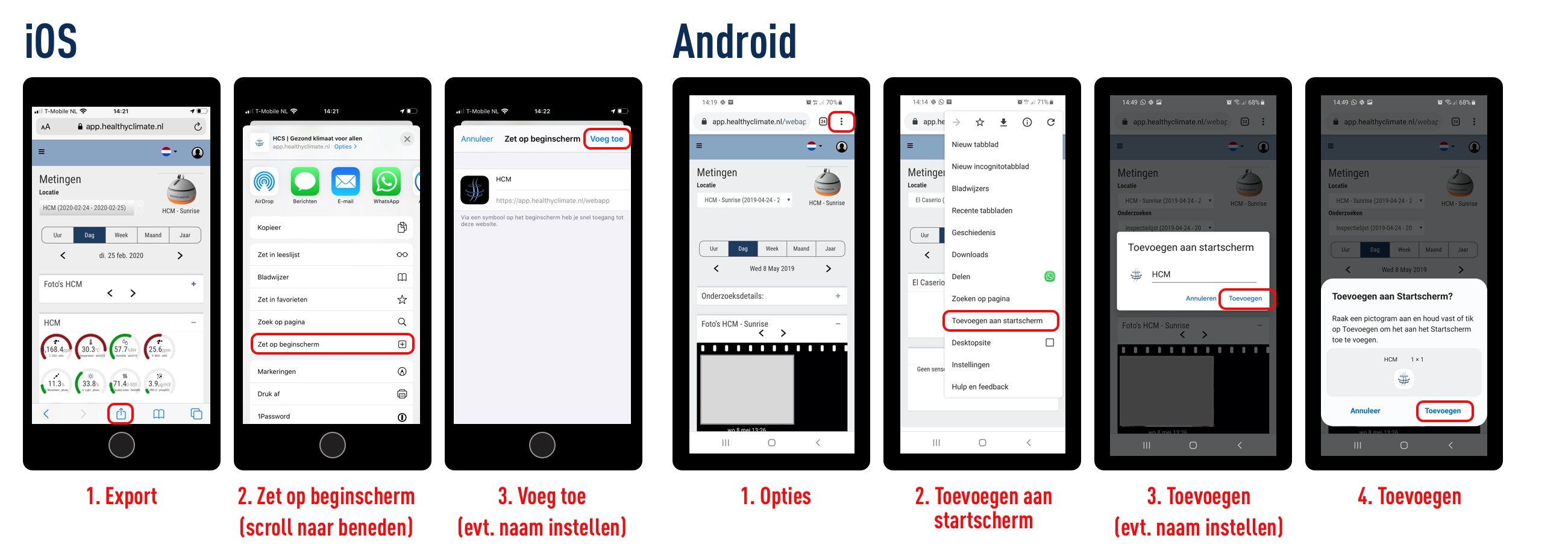
To place the Healthy Climate web app as an icon on the home screen of your mobile phone, follow the following steps for IOS and Android.
 Open the web app: https://app.healthyclimate.nl in a browser on your mobile phone (or tablet).
IOS
Go to export;
Click on move on home screen;
Click on add (set name if necessary).
Android
Go to options;
Click add to home screen;
Click add (set name if necessary);
Click then add again.